The History of Car GPS Navigation

It's tough to believe, but in-car GPS navigation has already been around for more than a decade. Yet were it not for politics—and Einstein's theory of relativity—we wouldn't even have it in the first place. Twenty years ago, a road trip meant a bunch of fold-out maps stuffed into your glove box or your car door panel pockets. Pulling over, unfolding one like a giant newspaper, and then figuring out where you were and how it corresponded to what you were seeing through the windshield was the norm. Along the way, those maps gave way to MapQuest or Yahoo Maps print-outs, and now, fortunately, we've got portable navigation devices (PNDs), in-dash GPS systems, and GPS-enabled smartphones. Voice-enabled navigation is more commonplace than ever, as the average PND price keeps getting lower and lower, and high-quality navigation apps are available for most smartphones. Android phones even come with free Google Maps with driving directions.
But to figure out how we got here, we need to first look at how it all began.


Einstein and the Origins of GPS
The U.S. Department of Defense first developed satellite-based global positioning technology for the military. An early satellite-based system dubbed TRANSIT was up and running as early as 1960, with more refined and precise versions involving multiple satellites in general military use by the early 1980s (pictured, right). But it wasn't until 2000 that precision GPS navigation became open to the public.
Publicly available GPS devices had already been around since the early 1980s. But the military added interference to the signals to ensure their own version was the only one that could be used with any precision. After four years of deliberations, President Clinton signed a bill in 2000 ordering the military to cease scrambling satellite signals used by civilians. This instantly upgraded the accuracy of the few consumer-based systems already in existence by a factor of 10, and opened the doors to a much larger, consumer electronics-based industry for GPS navigation.
Today, a network of 24 U.S.-based GPS satellites orbit the earth, ensuring that at least three are available at any one time for a device's position request anywhere on the globe. Russia's own GLONASS system of 22 satellites will soon work with some compatible smartphones in the U.S. for additional accuracy.
Most people don't realize that in order for global positioning to work, Einstein's theories of special relativity and general relativity must come into play. On a basic level, GPS finds your position by looking at the time stamp from a number of satellites orbiting the earth, how far away each one is from you, and how far apart each one is from the other. With that data, the system triangulates your position on the ground. But because of relativity, the clocks in the satellites advance ever so slightly faster than clocks on the surface of the Earth. Plus, moving clocks are slower than ones standing still—again, by a very tiny amount.
While those two effects work against each other, the net result isn't equal: You end up with a discrepancy of roughly 38 microseconds per day. That incredibly small difference is still enough to report your actual position off by miles, which would render the GPS system worthless, were it not for allowing for relativistic effects.

The Road to In-Car Navigation
Even after 2000, it would be a while before consumers would see GPS navigation in cars en masse. Fortunately, the dot com boom was already coming to the rescue. Beginning around the turn of the century, computer-generated, turn-by-turn directions from websites like MapQuest were a common sight. Not only were these websites godsends for finding unfamiliar hotels and restaurants, but they also assisted plenty of small businesses heavily reliant on driving—think of home improvement contractors, real estate agents, and freight services, just to name a few examples.
Map-based websites weren't perfect, though. Early routing algorithms were imprecise, and sometimes repeated steps over and over again—long lists of instructions that basically said to stay on the same road for 12 miles were a constant source of frustration. Plus, you still had to print them out and take them with you, which meant you needed to pull over to read the next few steps. And if you wandered off course, you were just as lost as you would have been with a map—worse, actually, if you left the actual map at home, since the printed directions were for one specific route.
http://www.pcmag.com/

Magellan RoadMate 5175T-LM

The Magellan RoadMate 5175T-LM Traveler features lifetime map updates and traffic data. The TourDirector feature lets users browse local attractions, set itineraries, and optimize travel time from the unit's menus. Wi-Fi connectivity allows users to browse the Web and update the unit's software.


Magellan's latest 5-inch GPS navigator aims to differentiate itself from the ever-shrinking portable navigation market with a pair of unique features that should make life easier for sufferers of wanderlust. The RoadMate 5175T-LM Traveler's TourDirector feature helps users to explore unfamiliar cities and Wi-Fi connectivity keeps them connected to the Web while on the go.

Garmin Nuvi 50 GPS receiver

The good: The Garmin Nuvi 50 features a large screen and an easy-to-use and easy-to-understand interface. Text-to-speech-spoken street names and colorful maps also aid user friendliness.
The bad: Text and graphics appear pixelated upon closer inspection. The dashboard mounting disc and USB sync cable are not included in the box.
The bottom line: Garmin's formula for entry-level GPS devices doesn't change much with the new Nuvi 50, but small tweaks, a lower price, and a massive screen enhance value.
Garmin's new 2012 line of GPS devices leads off with what the manufacturer calls its "Essential" series of entry-level navigation devices. By "Essential," Garmin means everything you need to get from point Alpha to Bravo. Things that you need include live GPS positioning with an extremely accurate sensor, turn-by-turn directions with spoken prompts and text-to-speech spoken street names. Things that you don't need (and don't get) include Bluetooth calling, traffic data, or Internet connectivity. If you're looking for a bare-bones navigation experience that still retains Garmin's level of simplicity, perhaps this series (which includes the 3.5-inch Nuvi 30 and the 4.3-inch Nuvi 40) is worth a look. We're taking a look today at the 5-inch Nuvi 50, the largest model in the series.
Design
The Nuvi 50 is built around a 5-inch WQVGA (480x272 pixels) color screen with resistive touch sensitivity.
There's only one physical control to be found on the Nuvi 50's chassis: a lone power button located along the top edge of the unit. Holding this button momentarily toggles the unit's power on and off. Tapping this button when the unit is in use calls up an onscreen menu with screen brightness controls and a virtual button that also depowers the unit.


On the backside, you'll find the USB port, microSD card slot, and loudspeaker.
Flipping the unit over reveals a small 1-inch loudspeaker on the back side. The rear panel is also where you'll find a microSD card slot for quickly adding extra map data and the Mini-USB port for charging and syncing with the downloadable desktop software, which we'll come back to shortly.
In the box, you'll find the 12-volt-to-USB charging cable that you'll use to keep your Nuvi juiced while driving. You'll also find the suction cup mount cradle in the box with the Nuvi 50; the design of which hasn't changed much over the years, either. It's still easy to place and remove the Nuvi from the cradle with one hand and the lever-actuated suction cup holds a clean glass surface quite securely and removes effortlessly when the need arises.


In the box, you'll find the Nuvi 50 itself, a suction cup mount, a car charger, and paperwork.
Interestingly, Garmin no longer includes the adhesive dashboard disc or a USB sync cable in the box with the new Nuvis. However, if your local laws forbid windshield mounting, Garmin will mail you the plastic puck at no charge if requested on the manufacturer's Web site.
Interface
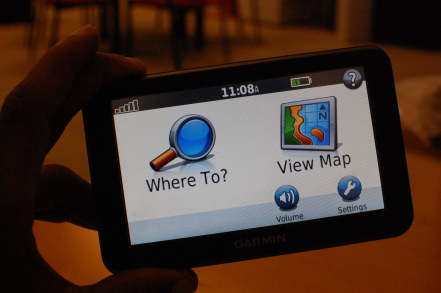
Garmin's menu structure hasn't changed much in the last decade. Put the Nuvi 50 next to the Nuvi 200 I picked up back in 2007 and you'll notice that most of the buttons and icons are exactly where you expect them to be, for better or worse. As the saying goes, "If it isn't broken, don't fix it." Garmin's simplistic interface has long been one of its strongest assets, and it's definitely working for the 50.

 The Garmin Nuvi interface hasn't changed much over the years.

NATS and Airbox launch Aware GPS device to help pilots avoid controlled airspace

NATS and Airbox launch Aware GPS device to help pilots avoid controlled airspace.

This device, quite unlike anything else currently available, provides a low cost moving map display using a 4.3" backlit sunlight readable screen and contains the latest UK ICAO 1:500,000 chart.

In essence the devices primary function is to warn when the pilot is approaching, and then about to enter, restricted airspace.

Alerts include:
  • Controlled Airspace (Control Zones, Control Areas and Airways)
  • Aerodrome Traffic Zones
  • Danger Areas and Prohibited Areas
  • Restricted Airspace (Temporary) – e.g. air shows and Red Arrows displays
  • Transponder Mandatory Zones
  • MATZ
  • ATZ
  • GVS
  • PSL
  • HIRTA
The Aware device comes with the ICAO 1:500,000 scale UK chart preloaded on the supplied SD card, with more charts available on the manufacturer’s web site. For those pilots who prefer them, including myself, the 1:250,000 scale charts are available to download for a fee.


NATS airspace definition updates are free and digital chart updates are available at a very reasonable £24.99 per chart.

Inside the box
Once you open the small box you will find the unit itself. Well constructed with a metal chassis. the full list of contents includes:

Box Contents
  • Aware GPS Unit
  • 12/24v cigarette lighter power adapter
  • 240v power adapter
  • USB Cable for computer connection
  • Windscreen suction mount
  • Instruction pamphlet
  • Dimensions 12cm x 8cm x 1.5cm
  • Weight 170g
The unit itself is slightly wider than my iPhone, the same height, and slightly thicker.

Side by Side

Although the unit will run for about 1hr on its internal battery, it is recommended that external power is used. If cockpit power is not available as may well be the case if you are using school aircraft or indeed any that do not have provision for accessory power then the Aware device can be powered from an external battery pack via mini-USB. There are a great many solutions but Aware sell the PowerMonkey, a device we have reviewed (see here) which works very well.


The device
End ViewOnce the unit has been charged up, it takes around 20 seconds to display the ‘Disclaimer’ screen. After acknowledging that you are taken straight onto the main screen with the map display.

Indoors it the receiver was sensitive enough to receive a good GPS signal on occasion but obviously this device is supposed to be used outdoors and in clear view of the sky.

After several minutes outside, I received a good GPS fix and the device displayed my location on the map accompanied by a co-ordinates readout on the bottom left of the screen.

The aircraft icon on the screen turns bright green when a GPS fix has been established. In addition, the Altitude/Flight Level is displayed (more of this later on in the review).

There are + and – icons at bottom left which control map zoom functions. The device comes with a small stylus, possibly a relic of the unit's PND origins. Using a stylus would soon become very fiddly when flying but I found that my fingers were perfectly sufficient!
Main Display Explained
Main Display

The other two icons in the bottom right corner are for centering the map with the current GPS position if you have moved the map away from the current location, and an ! button which leads to the "Emergency Information" screen which provides the following information:
  • Emergency transponder codes
    • 7500: Unlawful Interference
    • 7600: Radio Failure
    • 7700: General Failure
  • Emergency frequency: 121.5Mhz
  • Your current distance from neartest airfield, heading and current UTC time
Emergency Screen
Emergency Information Screen


On top is the On/Off button. On the left hand side of the unit you will find:
  • Mini-USB connector for power/data
  • 3.5mm headphone socket for connection to a headset or external speaker
  • AV in socket
  • SD card slot
  • Reset button
3D View


How does it work?
With the device switched on, GPS fix obtained device and chart loaded the Aware GPS calculates your location and displays it on the chart.

It then takes your heading and altitude/flight level and warns you if you are approaching any applicable controlled/ restricted/ dangerous airspace. I use the work ‘applicable’ because the device takes your altitude/ flight level into account and warns you about any possible airspace incursions that apply to you at that level only.

In Cockpit

For example, flying along at 5000 feet, you do not get warned of controlled airspace ahead of you that is only controlled up to 4000 feet as you are not going to enter that controlled area.

The screen shots demonstrates this quite clearly. The device has a 500 feet vertical warning buffer, meaning airspace 500 feet above or below you will also be warned against!

Screen Shot Screen Shot

In the screen shot above right, my height above ground level is 207 feet when this photo was taken. You can quite clearly see the Newcastle Control Zone highlighted in bright green. This is because this portion of the control zone is from SFC (surface) to FL 105 (10,500 feet). With myself being at 207 feet, if I were flying here, I could possibly penetrate this controlled area. If you look towards the coast, to the right of the two displayed high obstacles, you will see the extensions of the controlled airspace. These do not start at the surface, but at 1500 feet and 3000 feet respectively. Therefore, these zones are not highlighted as my current altitude/ flight level does not currently threaten that portion of the control zone.

What happens if I am heading towards controlled airspace at an altitude that would penetrate the controlled zone?
So, you are flying along in the cruise nicely and become slightly off course over time and drift towards an area that is controlled airspace. First thing that you would notice on approaching the controlled airspace is that the area concerned will now be highlighted in red, and emit an audible three loud, short ‘pips’. In the top right of the screen will be displayed information about the airspace that is being warned about. This includes information on:
  • Class of airspace
  • Name of airspace
  • Restriction levels
  • Distance to the airspace
As you enter the airspace, the device will emit two loud and longer ‘pips’ and the red information box from the top right of the screen will move down to the bottom of the screen.

What about obstacles?
The device will warn about tall obstacles in the same way as for controlled airspace.

The parameters for warnings are:
  • Airspace warning valid between sea level – 10,000 feet
  • Airspace warning range is 10 minutes
  • Vertical warning buffer is 500 feet
  • Obstacle warning radius is 0.5 Nautical Miles
Conclusion
The device performs well, with both audible and visible warnings of upcoming controlled airspace. A distance to the alerted zone is also given. Furthermore, a track line is also drawn which shows the current track you are on when heading into controlled airspace. This is a good feature as it shows the pilot where they are about to cross the controlled airspace, and therefore which direction to alter the course to in order to avoid ‘busting’ the airspace.

The unit is also capable of being used as a navigation device, just like a car GPS system. The Aware + includes navigation for £249.00 inc VAT or it can be purchased later as a navigation upgrade for £119 inc VAT. The navigation upgrade was not available for this review.

In conclusion, this is a great piece of equipment which would aid even the most experienced pilot flying VFR in the UK. The initial outlay for the device at £149.00 inc VAT makes it an absolute bargain and one that every pilot ought to consider.

As it also comes with free NATS airpsace definition updates and low cost chart updates it is remarkable value and so deservedly earns our PocketGPSWorld Highly Recommended award.
http://www.pocketgpsworld.com/

Google Navigation for Android is one of the best map solutions

Google Navigation for Android is one of the best map solutions you can get in the palm of your hand, but what if you don’t have a data connection? Whether you’re traveling abroad, using a Wi-Fi-only Android tablet, or just looking to use less data on your phone, you can use one of these map applications to see where you are and get navigation directions. If you start digging through Google Play for offline GPS apps, you’ll find a lot of poor-quality free apps and high-quality apps that cost money.


Google Maps has built-in support for offline maps. This feature lets you download a map area to your Android, so you can view it without a data connection. This sounds very convenient, but there are two big problems:
  • Only map tiles are downloaded. You can’t search for points of interest or get navigation directions offline.
  • Maps are automatically deleted after 30 days. There’s no warning and no way to change this behavior. If you depend on your map, you might find it has disappeared when you need it most.

Seiko Astron GPS Solar Watch Hands-On

Seiko Astron GPS Solar
Caliber 7X52 quartz movement
GPS controlled time and time zone adjustment
Hour, minute and second hands
Date calendar
Perpetual calendar correct to February 2100
Signal reception result indication
World time function (39 Time Zones)
Daylight Saving Time function
Power saving function
Accuracy: +/-15 seconds per month (without receiving a time signal and in temperatures between 5 and 35)


Glass: Sapphire crystal with Super-Clear Coating
Water resistance: 10 bar
Magnetic resistance: 4,800 A/m
USD Retail Price: Ranges from $2,300 - $3,850 USD

Motorola has announced a new Golf Edition of their MOTOACTV smart watch

Motorola has announced a new Golf Edition of their MOTOACTV smart watch. The device, as you’d imagine, includes new software-based tools which will enhance your 18 holes experience. GPS tracking allows you to record where you’ve taken your shots from in each round of golf, and will also tell you approximately how far you are from several areas on the green.


You can use the app or visit the site later on to check out how you did and compare your play to the pros. The device will cost $300. Those with the original edition aren’t SOL, however, as Motorola has committed to bringing an upgrade to bring these very same features.

Bluetooth spec gets GPS data sharing through GNSS

The Bluetooth Special Interest Group has cleared a proposal to more explicitly add location awareness to the standard. Bluetooth 2.0 and up devices will have the option of using the Global Navigation Satellite System (GNSS) profile, which will let a GPS-aware device share its location data with other Bluetooth hardware. Implementing GNSS could let a smartphone share its position with a dedicated camera, tablet, or other device without having special code.GPS sharing already exists, but usually requires either special apps on both sides of a connection or a dedicated receiver with software on one end.
Companies using Bluetooth can download the new profile now. Shipping products using the new GPS support may take some time, however, either through firmware updates or through new hardware.
http://www.electronista.com/

US Safety Administration cautions against use of moving maps

The US National Highway Transportation Safety Administration (NHTSA) has issued the first ever guidelines for in-car electronic devices, in a bid to reduce driver distraction.
The weighty tome, catchily titled "Visual-Manual NHTSA Driver Distraction Guidelines for In-Vehicle Electronic Devices" is aimed at car makers, and sets out the (for now voluntary) criteria for the use of electronic devices.
Amongst a long list of recommendations including positioning of displays, access to services such as telephony, internet, and text based information screens, Section V.5.b also have this to say on the subject of satnav, "dynamic, continuously moving maps are not recommended."


So the NHTSA want to turn back the clock and have us return to static turn graphics instead of having your live position indicated on a moving map. Their advice goes on to say that images should be static or updated no more than once every few seconds.
Sensible safety based idea or more evidence of nanny state? One thing is for sure, this may be voluntary now, but it would only take a few law suits in this famously litigious country to make this stuff mandatory.
http://www.pocketgpsworld.com/

The Garmin Zumo 660 motorcycle GPS supports Bluetooth

This unit features a large 4.3″ diagonal screen. Actually, it’s too large for many motorcycles and it may look awkward. However, some motorcyclists prefer this wide screen. The screen buttons are also large, so it’s very easy to press them with your gloves on. The screen is very readable under most conditions, and even in sunglasses (except for when the sun is shining straight on it). However, this screen is less bright compared to the 550.


The menus are very easy to navigate and the unit is fairly intuitive. The Mapsource DVD allows for easy routing. Unlike the 550, the 660 displays all street names on the map only if the detail is set to high. Also, unlike the 550, the 660 won’t necessarily follow the route specified by you in the Map Source custom route download – it may be annoying at first, and can only be overcome by learning to use strategically placed waypoints. The screen updates very fast.
The Garmin Zumo 660 motorcycle GPS supports Bluetooth, so you can sync it with a bluetooth headset to listen to tunes and directions. You can also integrate it with your phone, to receive phone calls while riding.